


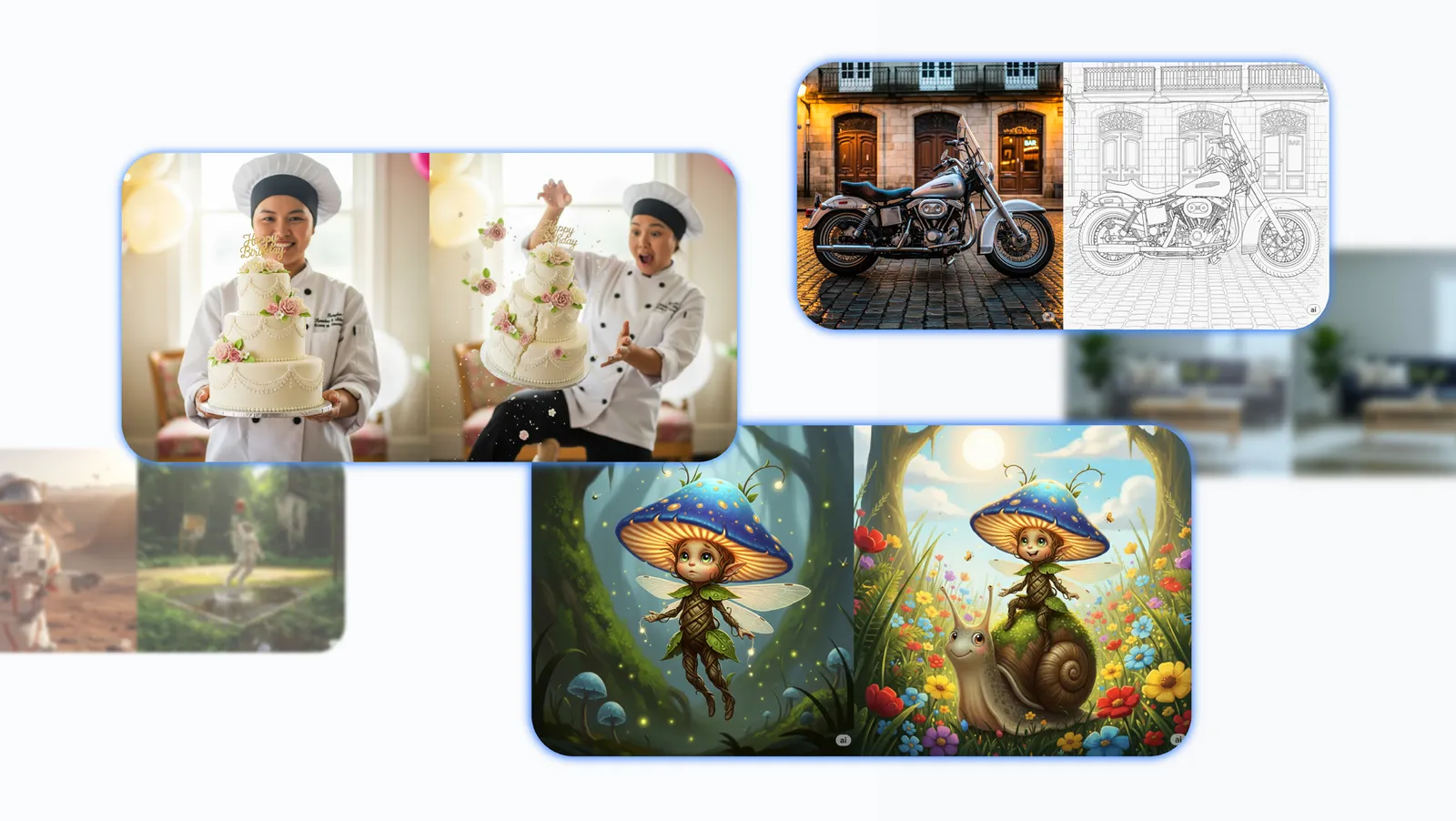
In today's world of AI technology, creating and editing images is no longer a complex task reserved exclusively for professional designers. With the latest update to Gemini, users can effortlessly turn ideas into stunning realities. This update brings groundbreaking improvements, from maintaining character consistency to precise conversational edits and the ability to combine multiple images into a complete masterpiece. If you're looking to optimize your image creation process with AI, this article shares practical tips to help you maximize Gemini's potential, AI Studio, and Vertex AI. Let's explore effective prompt-writing techniques to produce high-quality images, from hyper-realistic to fantastical, and transform every idea into engaging content for social media, product design, or personal projects.
Key Capabilities in Image Creation and Editing with Gemini
Gemini isn't just an ordinary AI tool; it's a creative companion that helps you push the boundaries of imagination. The latest update has elevated core features, offering greater flexibility and precision than ever before. Below are the standout improvements you should familiarize yourself with to apply them in real-world scenarios, from character design to building complex landscapes.
Consistent Character Design: Maintaining Appearance Across All Changes
One of Gemini's strongest features is its ability to maintain consistency for characters or objects across multiple generations and edits. Instead of starting from scratch every time you change poses, lighting, or environments, you can preserve core traits like facial features, clothing, or colors. This is especially useful for image storytelling projects, such as digital comics or animated videos, where characters need to appear continuously without distortion. For example, if you're designing a robot character for a game, Gemini ensures it always looks the same whether standing in a desert or soaring through a night sky.
Creative Composition: Combining Elements into a Unified Image
Gemini allows you to blend multiple elements, subjects, and styles into a single image, creating perfect harmony. Imagine wanting a scene that mixes a modern city with wild natural elements — Gemini handles it seamlessly, ensuring every detail integrates without clutter. This feature is ideal for marketers creating unique ad content or artists seeking boundless creativity.
Local Editing: High Precision with Natural Language
Instead of using complex editing software like Photoshop, Gemini supports local edits on specific parts of an image using natural language descriptions. You can change the color of a particular object, add small details, or remove unwanted elements without affecting the entire frame. This saves significant time, especially for personal photo edits or product mockups, helping you achieve professional results quickly.
Style and Appearance Adaptation: Seamless Idea Transformations
Gemini excels at applying styles, materials, or designs from one idea to another. For instance, you can take a realistic photo and transform it into a hand-drawn sketch or cyberpunk style with a simple prompt. This feature unlocks endless possibilities in fields like fashion, interior design, or digital art, where experimenting with styles is key to success.
Logic and Reasoning: Real-World Understanding for Complex Scenes
With deep knowledge of the real world, Gemini can generate complex scenes or predict the next step in an event sequence logically. This not only makes images more realistic but also helps build compelling stories, like simulating a humorous accident or a character's development over time. This is a major advancement over previous AI tools, bringing superior intelligence to image creation.
6 Core Elements for Writing Effective Prompts in Gemini
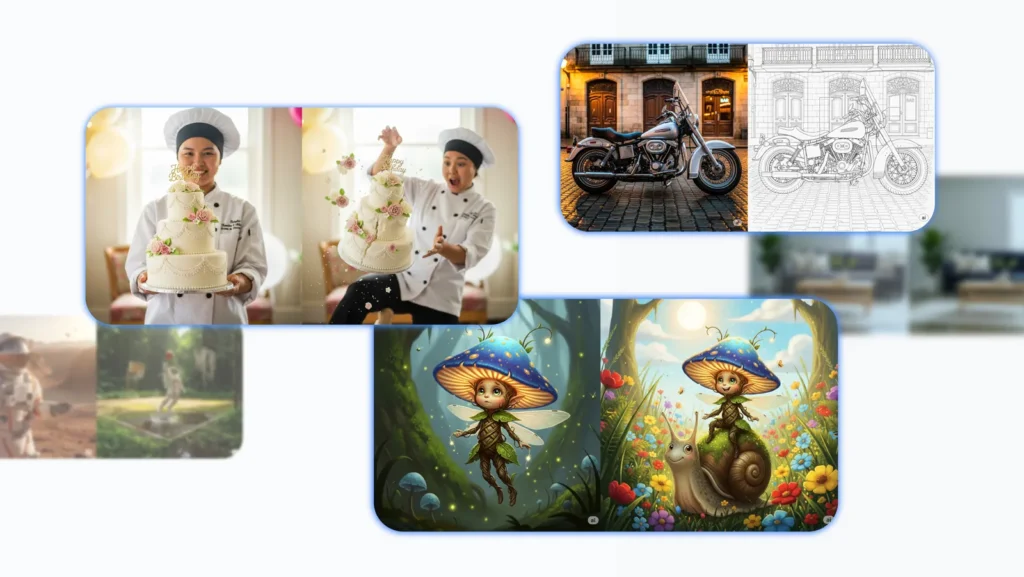
Writing prompts is an art, and with Gemini, even one or two short sentences can yield impressive results. However, to achieve refined control and optimal outcomes, incorporate the following six elements into your prompts. These not only help Gemini understand your intent clearly but also enhance image quality, making them vivid and tailored to your purpose. Apply them to turn vague ideas into sharp masterpieces.
1. Subject: Clearly Define Who or What is the Focus
The subject is the foundation of every prompt. Be specific to avoid ambiguity. Instead of saying "an animal," detail it like "a fluffy calico cat with sparkling green eyes and glossy fur." This helps Gemini focus on standout features, creating more realistic and engaging images, especially useful for game character design or children's book illustrations.
2. Composition: Build the Perfect Frame
Composition determines how the image is perceived. Specify clearly, such as "close-up of the face with a blurred background," "wide panoramic view from a low angle," or "vertical portrait for social media." This way, you control the perspective, making the image professional and suitable for sharing platforms, boosting viewership potential.
3. Action: Add Dynamism and Storytelling
Action brings energy to the image. Describe in detail, like "brewing coffee with a friendly smile" or "joyfully running through a field of flowers." This element not only makes the image more interesting but also aids in storytelling, ideal for marketing content or personal blogs where engagement is crucial.
4. Location: Create a Cinematic Backdrop
Location sets the atmosphere. Be specific, such as "a futuristic coffee shop on Mars with vibrant neon lights" or "a dusty ancient library under moonlight." This helps Gemini build authentic environments, elevating images from simple to masterpieces, perfect for virtual travel or interior design.
5. Style: Shape the Overall Aesthetic
Style is the soul of the image. Choose from "vibrant 3D animation," "mysterious black-and-white film noir," to "dreamy watercolor painting" or "hyper-realistic in the style of Salvador Dalí." Specifying style customizes to preferences, from modern to classic content, increasing artistic value and shareability on platforms like Instagram or Pinterest.
6. Editing Instructions: Precision in Modifications
When editing existing images, be explicit, like "change the tie color to vibrant green" or "remove the car in the background and add lush greenery." This element ensures local edits, preserving the original structure, very useful for refining product photos or personal images without much time investment.
Advanced Prompt Techniques: Real-World Examples to Apply Immediately
To illustrate application, here are five main prompt techniques, expanded with detailed examples. These strategies can produce everything from hyper-realistic edits to fantastical worlds, helping you experiment and innovate endlessly. Try them right away in Gemini to see the difference!
1. Maintaining Character Appearance: Building Continuous Stories
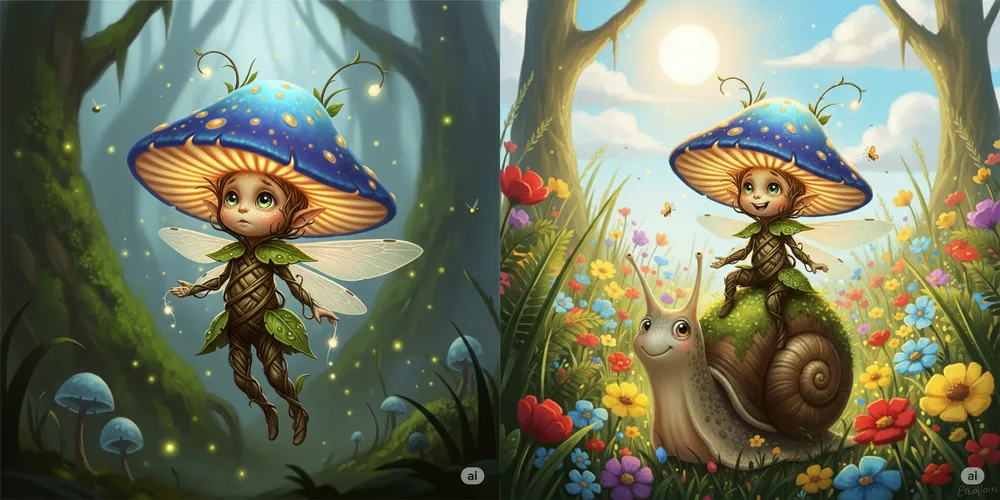
This technique leverages Gemini's consistency to keep characters intact across transformations. Start with a basic prompt: "A fantastical illustration of a small glowing mushroom spirit, wearing a luminous mushroom cap hat, with big curious eyes and a body made of twisting vines." Then continue: "Have that spirit riding a moss-covered snail through a sunlit wildflower meadow." Gemini will preserve traits like the face and clothing, creating a seamless image sequence for comics or animations.
2. Precise Part-by-Part Editing: Fine-Tuning Small Details

Perfect for product mockups, begin with: "High-quality photo of a minimalist living room, gray sofa, light wood table, large green plant." Next: "Change the sofa color to deep navy blue, add subtle striped patterns." Then: "Add a stack of three classic books on the table, with brown leather covers." Gemini performs local edits, keeping the overall scene intact, allowing quick completion of interior designs or product catalogs.
3. Creative Idea Combination: Merging Unique Concepts
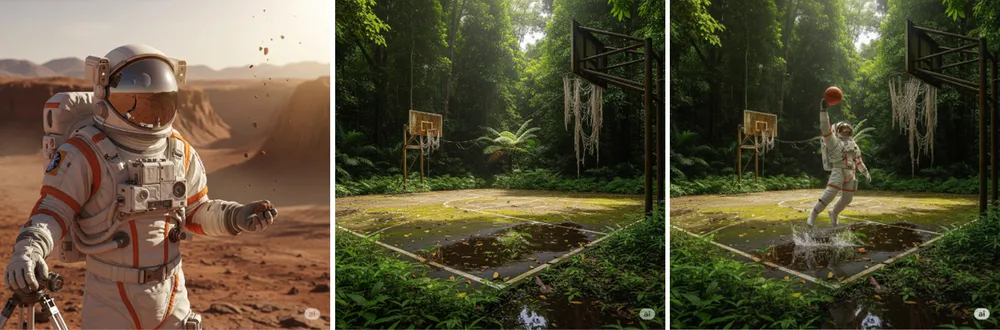
Combine separate prompts for surprises: "Hyper-realistic photo of an astronaut in a shiny white spacesuit." Combine with: "Photo of an abandoned basketball court in a lush tropical rainforest." Result: "The astronaut powerfully dunking on this basketball court, with vines creeping over the stands." This technique is ideal for viral content, blending unexpected elements to captivate audiences.
4. Style Changes: Complete Aesthetic Transformations

Apply a new style while keeping the subject: "Hyper-realistic photo of a classic motorcycle parked on a foggy street." Then: "Edit to architectural drawing style, with sharp black-and-white lines." Gemini reimagines the motorcycle in the new artistic style, useful for art portfolios or design ideas where style variety is essential.
5. Using Logic and Reasoning: Predicting Realistic Outcomes

Build on real-world logic: "Photo of a young woman holding a three-tier white wedding cake decorated with red roses." Next: "Show what happens if she suddenly trips." Gemini creates a logical image: the cake tumbling, a shocked expression on her face, with details like splattered frosting. This is great for humorous illustrations or safety education.
Current Limitations of Gemini and How to Overcome Them
Although Gemini has made significant strides in image creation and editing, there are still some limitations to keep in mind to avoid disappointment. Stylization can sometimes be unstable, leading to unintended results— the solution is to try multiple prompt variations for refinement. Text rendering may have spelling errors or struggles with complex fonts, so avoid relying on detailed text and use post-editing tools. Character details aren't always 100% consistent, especially with complex elements, so start with simple descriptions and layer gradually. Aspect ratios can be hard to maintain precisely, so specify clearly like "16:9 ratio" in the prompt. These limitations are being continuously improved, and community experimentation will help build the next generation of AI image tools. Be patient and creative to overcome them!
With these tips, you can turn Gemini into a powerful ally for any creative project. Start experimenting today, share your results, and discover the endless possibilities of AI in the world of images. Creating images with Gemini has never been easier or more exciting!
For the latest AI updates, visit here or Youtube.